
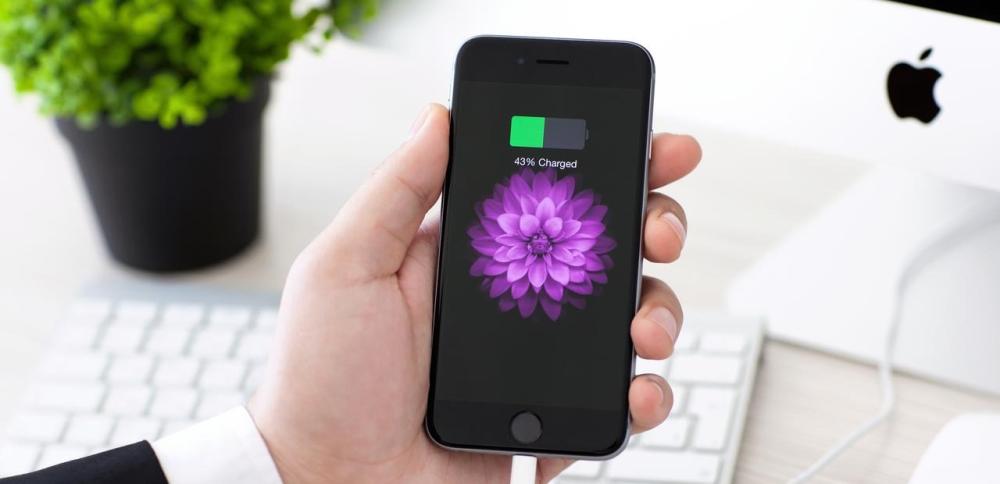
Many people frequently ask about the best percentage for charging an iPhone. The accurate answer begins with understanding the impact of the charging method on battery performance and quality over time. Continuously charging the device to 100% or letting it completely drain accelerates battery wear and increases the number of charging cycles on the iPhone battery, which gradually leads to a decrease in its efficiency and rapid drain of the charge. Apple recommends maintaining the charging level between 20% and 80%, as this percentage is optimal for reducing stress on the internal cells and achieving the best possible performance. In this article, we will provide you with a practical, research-backed guide that explains how to preserve the life of your iPhone battery to ensure continued performance for the longest possible period.
The best percentage for charging the iPhone: between 20% and 80%
Technology experts agree that the best percentage of iPhone charging to preserve battery life is to keep your device's charge between 20% and 80%. The reason behind this recommendation is due to the way lithium-ion batteries work, which all modern iPhones rely on.
1. Why is it recommended not to charge to 100%?
Continuously charging your phone to 100% places significant stress on the battery cells. The higher the charging percentage, the greater the voltage the cells are exposed to, which reduces battery life. For this reason, it's best to stop charging when the percentage reaches 80% instead of continuing until the end, as this is the best percentage for charging an iPhone, especially for those seeking to preserve battery life.
Read more: Which is better, wired or wireless headphones , and why?
2. The effect of overcharging on battery life
When your iPhone's optimal charging capacity is exceeded, performance begins to gradually deteriorate. Studies have shown that phones that are constantly fully charged experience battery efficiency declines by up to 15% within the first year, which reduces the actual capacity to hold power. This makes understanding how to preserve your iPhone's battery life essential.
3. How to keep charging within the ideal range
- Use the "Optimized Battery Charging" feature to automatically set the optimal charging rate for your iPhone.
- Charging your phone in short, intermittent periods, especially when using the device intensively.
- Avoid charging your phone while sleeping for long periods, as this increases the chances of exceeding the recommended maximum limit.
- This way, we ensure your device's battery remains efficient, and we're committed to achieving the optimal charging rate for your iPhone on a regular basis, which reduces stress on the battery and helps prolong its life.
Don't risk your iPhone battery by using counterfeit chargers. At Al Dahmani Communications , we offer a wide range of original and certified chargers that preserve the life of your battery.
&>< class="ql-direction-rtl" style=";text-align:left;direction:ltr">
Preserving iPhone Battery Life: Tips and Advice
To achieve the best possible charge rate for your iPhone in good condition, it's essential to follow a set of daily guidelines. Battery care isn't just about charging time; it also includes how to maintain your iPhone's battery life through daily usage, charging location, and environmental conditions.
1. Avoid high and low temperatures.
Heat significantly affects battery performance. High temperatures accelerate the deterioration of battery cells, while extreme cold reduces performance. It's recommended not to charge your device in places like a car under the sun or outside when temperatures drop, as this affects the iPhone battery's charging cycle and accelerates its wear.
Read more: How to keep your iPhone battery life longer?
2. Use original and approved chargers.
One of the most important factors that help achieve the best iPhone charging rate is using original and certified chargers. Non-original chargers, however, can damage the battery in the long run, possibly leading to overheating or irregular charging, which can cause direct damage or accelerate the number of charging cycles of the iPhone battery.
3. Activate low power mode when needed.
Low Power Mode reduces your device's power consumption and puts less strain on the battery. When enabled, it stops unnecessary activities, such as background app refreshes, helping preserve battery life and maximize your iPhone's charging time.
Avoid battery problems and performance degradation by using Apple-certified products. At Al-Dahmani Communications, we offer reliable options for all your needs, with a genuine warranty and outstanding customer service. Shop now and rest assured.
How to Preserve iPhone Battery Life: Effective Strategies
Extending battery life isn't just about finding the optimal charging rate for your iPhone. It also depends on how you use your device daily. There are many habits we may overlook that negatively impact the battery, increasing the number of charging cycles your iPhone needs without us even realizing it.
1. Update your operating system regularly.
Apple releases regular updates containing battery management improvements. These updates often address power drain issues and improve charging efficiency, reducing rapid battery wear. Keeping your operating system up-to-date is one of the most important ways to preserve your iPhone's battery life and reduce the need to recharge frequently.
Read more: How to find out which apps are consuming your phone's battery.
2. Reduce screen brightness and use dark mode.
The screen is one of the most power-hungry components of your device. Reducing screen brightness and using Night Mode can help preserve your iPhone's battery life, especially on devices with OLED displays like the iPhone X and later. This simple action reduces daily power consumption and gives you more time between charging your iPhone's battery.
3. Close unused applications in the background.
Some apps run in the background even when you're not using them, which leads to excessive power consumption. It's helpful to review your "Background App Refresh" settings and disable unnecessary ones to reduce battery strain. This step is a smart habit to follow in your daily iPhone battery life practices.
It's not enough to know the best charging rate for your iPhone; you also need tools that actually support it. Shop now from Al-Dahmani Communications Store and get original chargers and cables that protect your battery and provide safe, smart charging.
iPhone Battery Charging Cycle: What You Need to Know
To understand how a battery deteriorates over time, it's important to understand the concept of an iPhone battery's charging cycle and its impact on the device's performance. Many users confuse the daily charging process with a full battery cycle, creating confusion about the battery's health.
1. What is a charging cycle and how is it calculated?
An iPhone battery charge cycle is calculated when 100% of the battery capacity is used, not necessarily in a single charging session. For example, if you use 50% of the battery today and then 50% tomorrow, this is considered one charge cycle. Apple confirms that the device is designed to withstand approximately 500 cycles before efficiency begins to decline.
Read more: When should you replace your iPhone battery to maintain its performance?
2. The number of cycles that the iPhone battery can withstand
iPhone batteries are designed to last approximately 500 full charge cycles before their efficiency begins to gradually decline. This number represents the limit beyond which the battery begins to lose its ability to hold a charge at the same capacity. Therefore, users need to consider how to reduce the number of these cycles to maintain performance.
3. How to reduce the number of charging cycles to preserve the battery
- Charge the battery when it drops below 30% and not less than that.
- Do not wait for the battery to be completely discharged.
- Adhere to the optimal iPhone charging rate, which is between 20% and 80%.
- Following these recommendations will help extend battery life and delay the critical number of charge cycles your iPhone battery reaches.
While you're committed to the ideal charging ratio, you need a charger that supports you. At Dahmani Communications , you'll find accessories specifically designed to help you implement every tip you've read.
Knowing the status of your iPhone battery: methods for checking and evaluating it
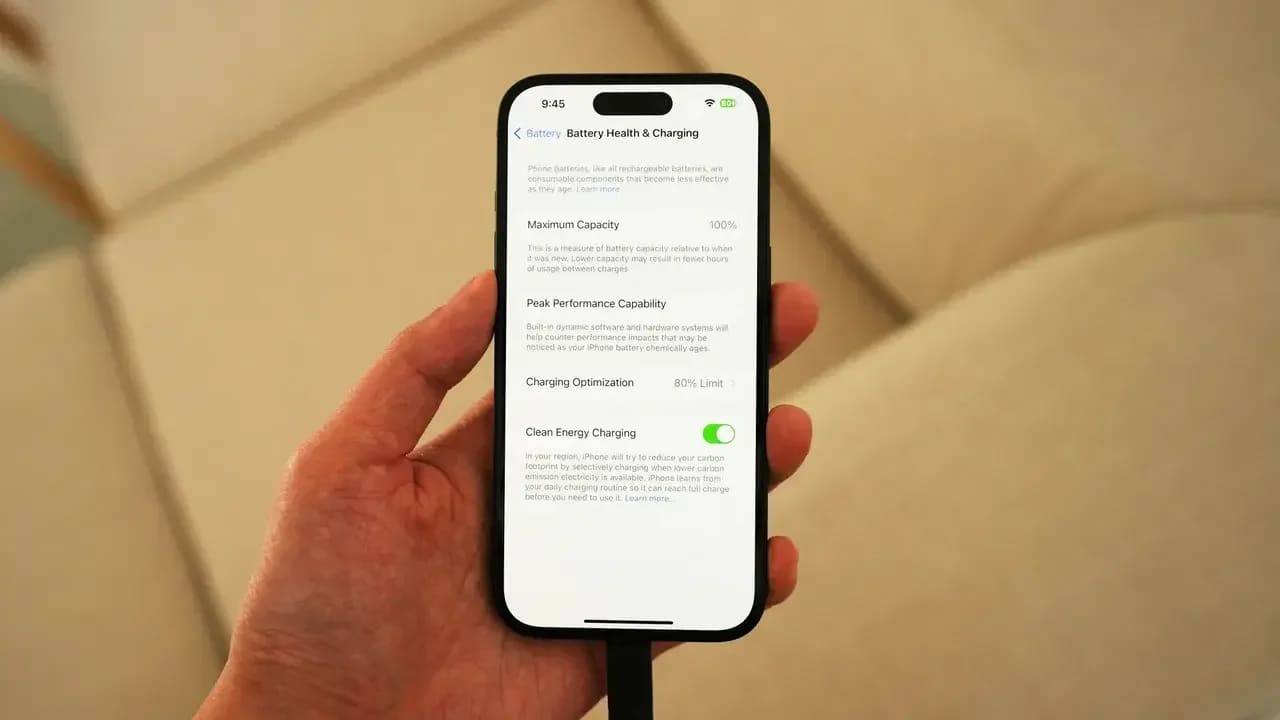
Knowing your iPhone's battery health is a basic skill every user should possess. Apple provides internal tools to check battery performance, and you can also use third-party apps to provide accurate data about your battery's current condition.
1. Use device settings to check battery health.
- You can go to: Settings > Battery > Battery Health
- The battery's maximum capacity percentage will be displayed, which is an indicator of how efficient the battery is compared to its new state. Regularly monitoring this indicator is the first step in knowing the condition of your iPhone battery and taking action before things get worse.
2. Utility applications to monitor battery performance
Apps like CoconutBattery (for Mac), Batteries, and Battery Life provide detailed data on battery temperature, charging cycles, and charging speed, enhancing your ability to monitor the health of your iPhone battery professionally. These tools enable users to make informed decisions about replacing or improving performance.
3. When should you consider replacing the battery?
If your battery capacity is less than 80% or you notice your device shutting down before the charge reaches 0%, this is a strong indication that the battery is no longer working efficiently, and it is best to replace it at an authorized service center. Following the optimal iPhone charging rate can help postpone this stage, but if performance deteriorates, knowing the exact condition of your iPhone battery will enable you to make the appropriate decision.
Are you experiencing declining performance or battery drain? Use our original products to reduce the number of charge cycles your iPhone battery requires and achieve more stable performance. Browse the Dahmani Communications store and experience the difference for yourself.
The best tools to use to maintain the battery
In addition to daily practices, there are smart tools that help users get the most out of their battery and avoid rapid degradation.
1. Battery monitoring apps
Apps like Battery Life and AccuBattery help users accurately monitor their iPhone battery's health and provide alerts when the iPhone's optimal charging rate is exceeded or the device's temperature rises, helping to prevent premature performance loss.
Read more: How to easily identify the original iPhone charger ?
2. Smart chargers
Chargers that support automatic shut-off when fully charged, or those that rely on smart power regulation technologies, are among the best ways to preserve iPhone battery life and reduce the stress caused by overcharging and frequent charging.
3. Accessories that protect the device from overheating
Cooling cases, fan-powered charging pads, and smart stands help keep your iPhone at a stable temperature while charging, reducing internal cell damage. These accessories are essential for anyone who truly wants to preserve their iPhone's battery life and reduce the number of charging cycles.
To maintain your device's performance for as long as possible, it's essential to adhere to the optimal iPhone charging rate, while taking into account reducing the number of battery charging cycles and monitoring its condition. Also, using original chargers and applying daily tips plays a major role in preserving the life of your iPhone's battery. At Al-Dahmani Communications Store , we are keen to provide you with the best accessories and technical solutions that enhance your device's performance and extend its battery life. Don't hesitate to visit our website to discover the latest offers and specialized articles that help you make optimal use of your phone.